Claudia Caceres

Co-founder @ Duo Creative Labs

AI Strategy: Your New Best Employee

Claudia Caceres
HOW IT WORKS

THE ENGINE: LLM

Gemini and ChatGPT are Large Language Models.

LLM Engines

They are Prediction Machines. They predict the next best word for you.

THE SECRET SAUCE

CONTEXT IS POWER

A prediction machine needs knowledge to be accurate.

  • 📸 1. Your Style
  • 🎨 2. Your Values
  • 🧠 3. YOUR STORY

Without context, the AI is generic. With context, it's YOURS.

THE BIG PROBLEM

Living Your Brand

"Who am I?" is the hardest question. Most business owners collapse when writing their bio.

That's why we use the AI Agent.

AI INTERVIEWER

Meet Your Interviewer AI Agent

An autonomous expert designed to extract your core brand identity.

The Interviewer AI

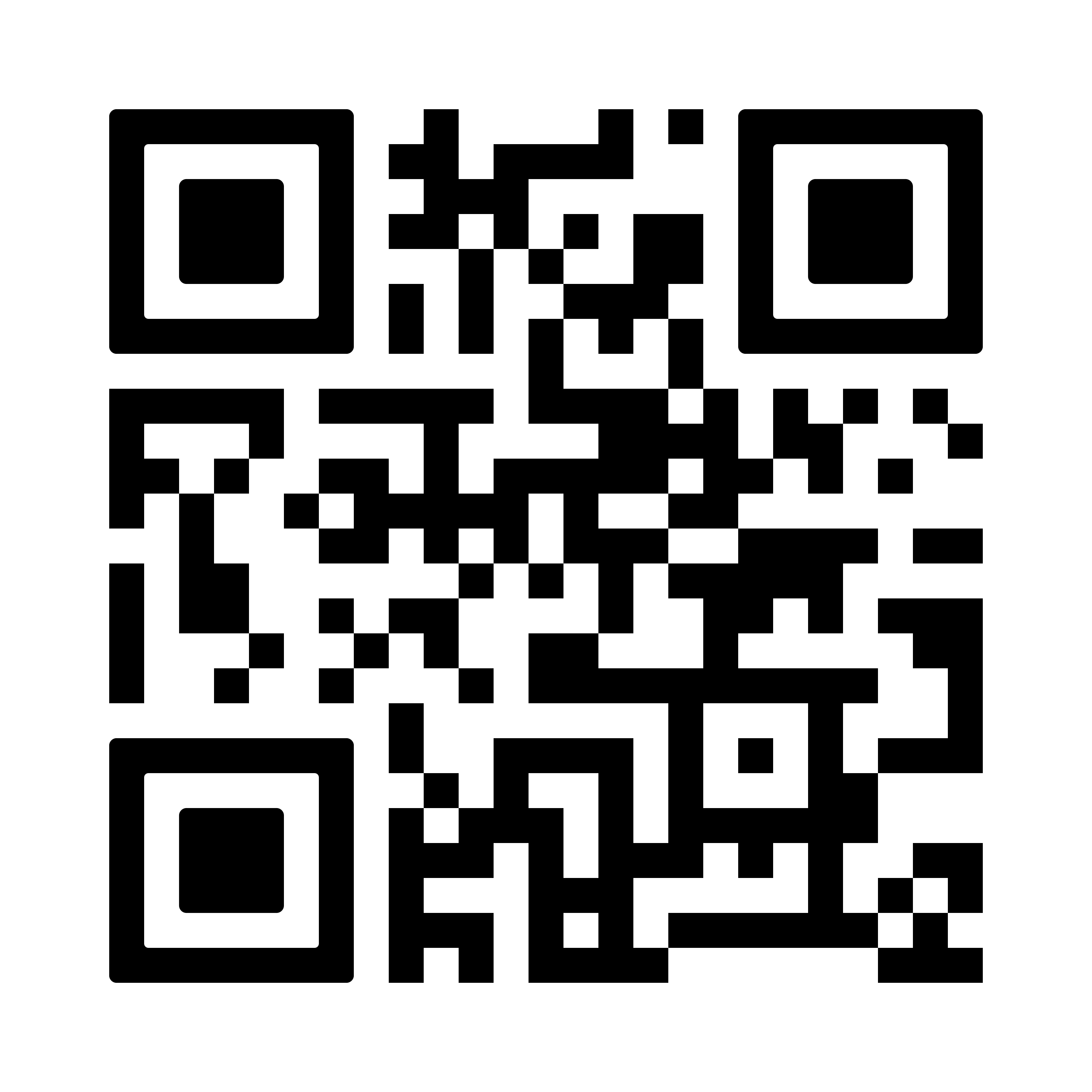
Scan QR Code Duo Context

1. Scan QR Code

Start the interview with your AI Agent on your phone.

Digital Brain Folder

2. Save Results

Paste the interview summary into your Digital Brain folder.

Open your camera, scan the QR code, and let the AI guide you.

ACTIVITY 1 (15 MIN)

TIME TO BUILD

15:00
QR Code Duo Context
🚀 OPEN DUO CONTEXT

Scan the QR or click the button to start the interview with your AI Agent.

Paste the results in your new Digital Brain file!

THE FOUNDATION

Your Digital Brain Folder

Create a file (Word, TXT or Excel) in your computer.

Digital Brain Folder

This is where you will save all your brand context. Your Digital Memory starts here.

THE PLATFORM

WHY GEMINI?

Google's AI is powerful, fast, and FREE.

Google Gemini Ecosystem
📧 Gmail Sync
📂 Drive Access
🗓️ Calendar Flow

It connects with your Gmail, Drive, and Calendar.

What is a GEM?

A specialized way to use the power of Gemini.

Gemini Powers

It combines the LLM, Image Generation, and Your Context.

Think of a Gem as your own custom Gemini assistant. You don't need to type the same instructions every day. It always remembers exactly what to do.

STEP 1 / 3

1. Open & Create

Open your browser and go to gemini.google.com/app.

Step 1: Open & Create

Click the image to zoom in anytime during the presentation.

STEP 2 / 3

2. Add Instructions

Add the core instructions or prompt that we will provide you next.

Step 2: Add Instructions

Define the specific role, tone, and goals for your new Digital Expert.

THE TEMPLATE

THE MAGIC PROMPT

Scan the QR code or click the button below to get your prompt template.

Escanea para obtener el Prompt
📄 OPEN PROMPT TEMPLATE

Make a copy of the Google Doc, fill in your brand details, and paste it into your GEM!

STEP 3 / 3

3. Paste Knowledge

Upload your Digital Brain Folder or paste your core context.

Step 3: Paste Knowledge

Give your GEM the exact context it needs to represent your brand.

STEP 4 / 4

⚠️ Don't Forget This Step!

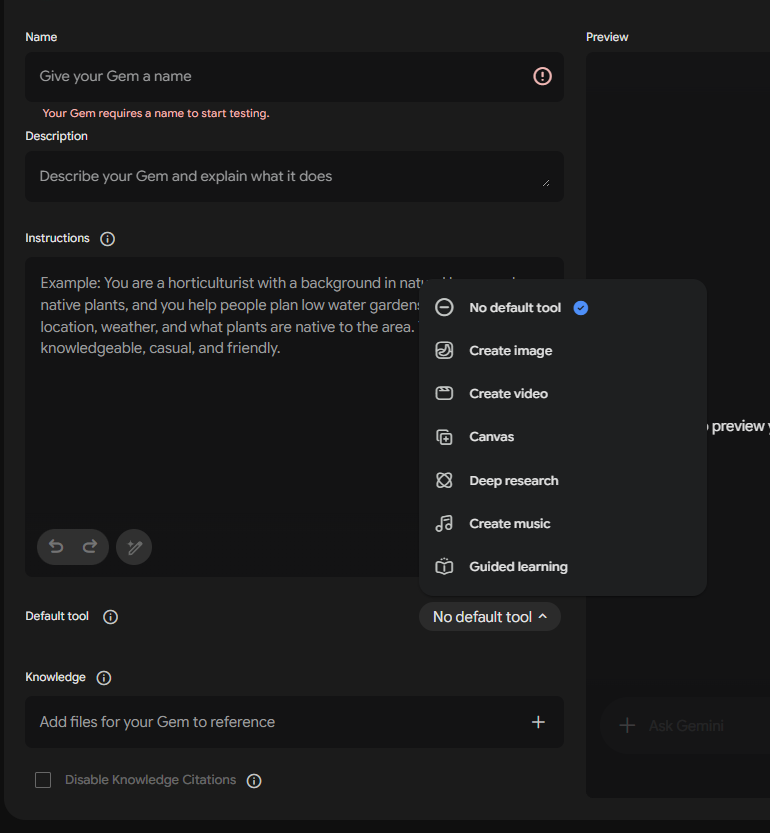
Before saving your GEM, scroll down and toggle ON "Image Creation".
This gives your GEM the power to generate visuals for your brand — don't skip it!

Step 4: Enable Image Creation
ACTIVITY 2

THE LAUNCH

Create your GEM now! Remember the steps:

Step 1

1. Create

Step 2

2. Knowledge

Step 3

3. Instructions

Run your first test!

What is next?

But wait...

What if you need MORE than one post?

LEVEL 2

Your Agency of Agents

Agency of AI Experts

Build your own custom agency of AI experts for every department in your company.

From Marketing and Finance to Operations. Each GEM acts as a specialized employee working dedicatedly for your brand's growth.

Ready to Scale?

Strategy is the bridge to growth.

Duo Creative Labs

Let's build your future.

🌐 www.duolabs.tech